
Cloud saves
In the menu: ⚙ → Saves → Cloud saves.
With cloud save sync on, your saves follow your email. Save on your phone, continue on your PC. Nothing to do: save in the game as usual.
| When | What happens |
|---|---|
| The game opens | It keeps the newer copy of each save, this device's or the cloud's (☁ Saves are in sync) |
| You save | The save uploads a second later (☁ Saved to the cloud) |
| You are offline | You play with this device's saves; they upload when you are back online |
The ☁ icon
⚙ → Saves → Cloud saves shows where your saves are, with this icon and in words. Tap it to upload waiting saves.
| Icon | Means |
|---|---|
| ☁ with a tick | Every save is in the cloud |
| ☁ with an arrow | Uploading |
| ☁ crossed out | Offline or a network problem: saves stay on this device and upload later |
| Red ☁ with ! | Login expired, or a save differs from the cloud: see below |
If the game asks

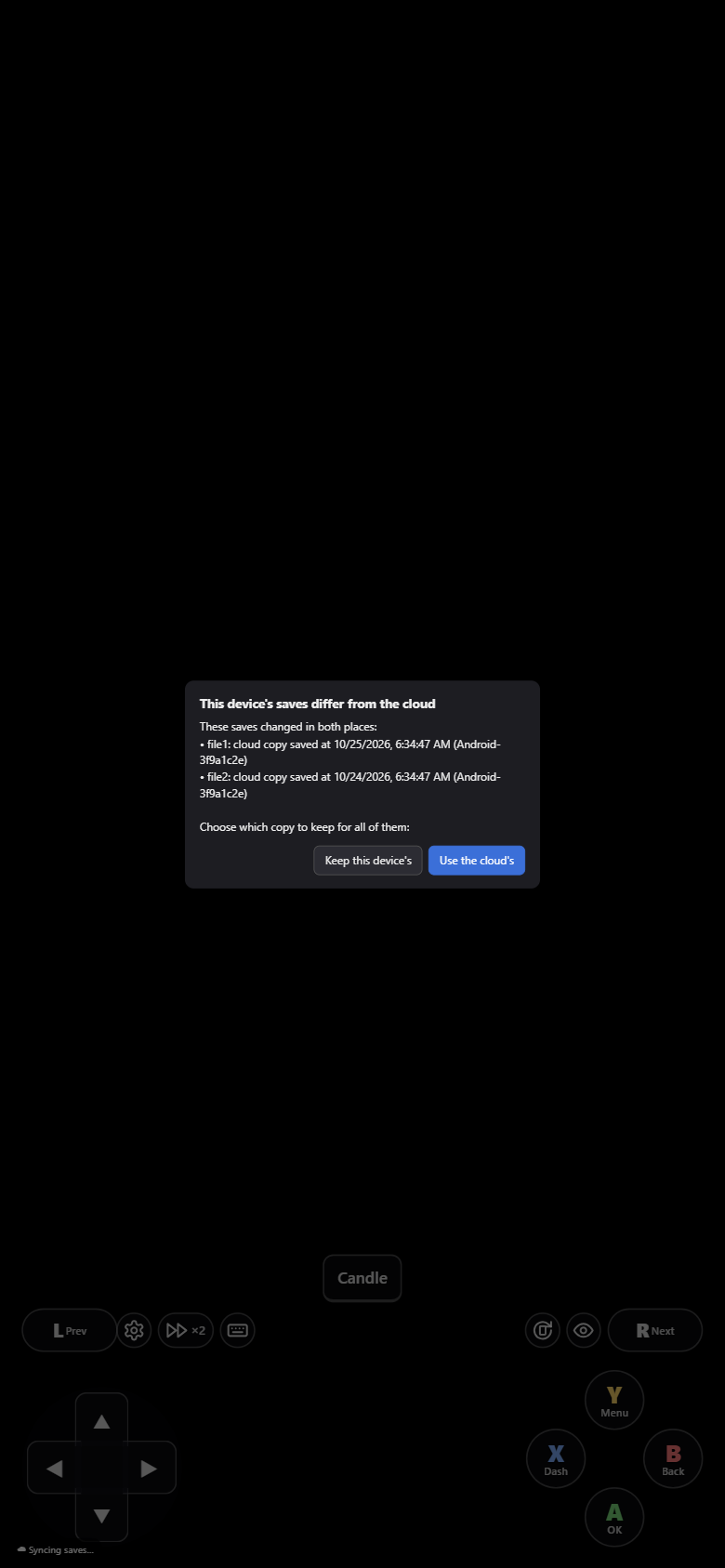
| Message | Do |
|---|---|
| The game may be open on another device | Another device saved in the last 5 minutes. Close the game there, then Got it |
| This device's saves differ from the cloud | A save changed in both places. Use the cloud's takes your other device's copies; Keep this device's uploads these. Not sure? Export the one you might lose first |
| The cloud has a newer save | Another device updated the slot you just saved. Overwrite cloud keeps yours; Later asks again next time the game opens |
| Login expired | Reload the page and sign in. Saves made in the meantime are kept and upload after the reload |
Bring back an older save
The cloud also keeps older copies of your saves: see Older saves.
Good habits
Play on one device at a time, use the same email everywhere, and keep a second slot before a boss.