
Touch controls
In the menu: ⚙ → Controls → Edit button layout, to move or hide the buttons. The on-screen gamepad shows on phones and tablets.
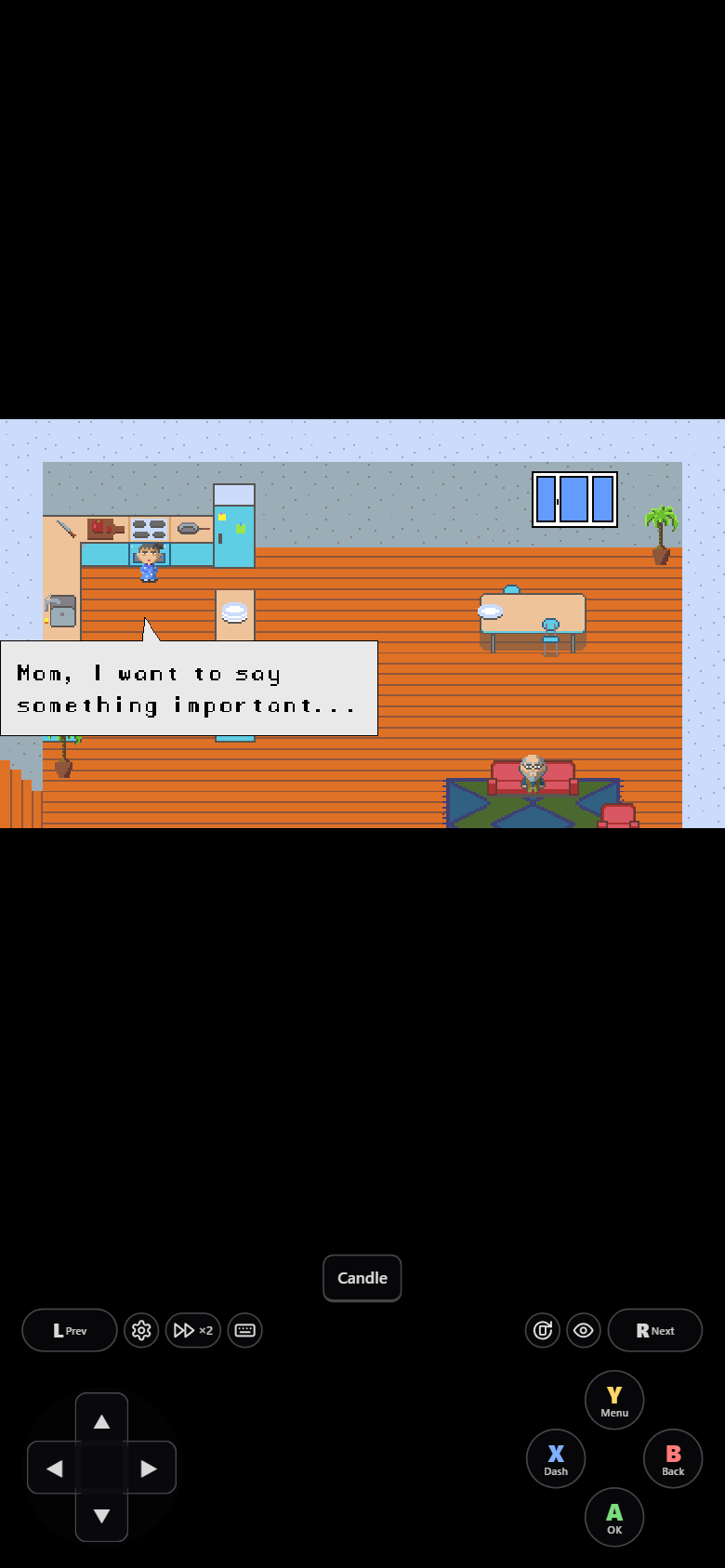
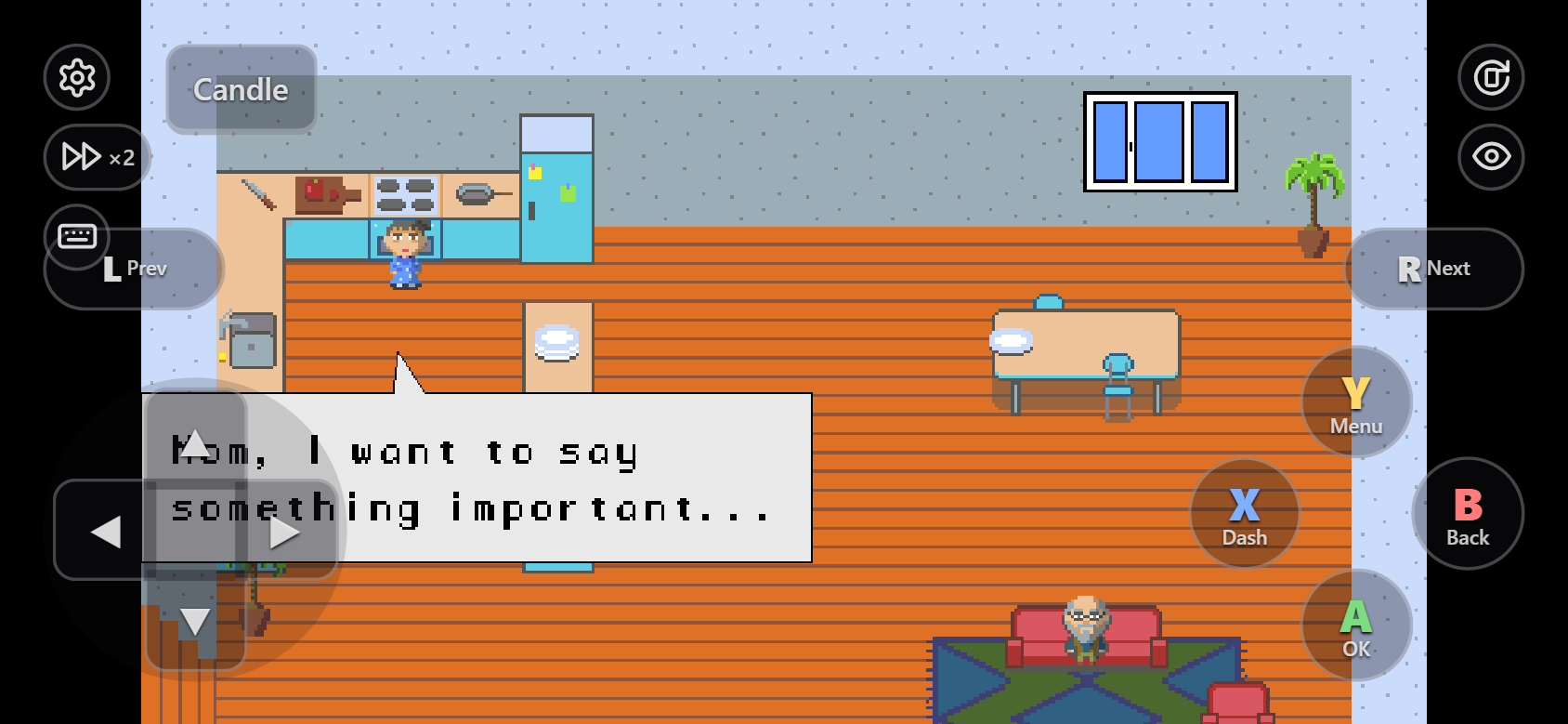
| Button | Does |
|---|---|
| D-pad | Walk. Slide your thumb to turn without lifting it |
| A | Confirm, talk |
| B | Back |
| X | Dash (hold) |
| Y | Menu |
| L / R | Previous / next page (off by default; turn on with shoulder in rwk config) |
| Keycaps (Candle…) | Keys this game's plugins use. A keycap with ▾ opens a row of more keys |
The controls fade after a few seconds without a touch. Touch the screen and they come back.
The toolbar
The ⚙, ⏩, ⌨, ⟳ and 👁 buttons next to the gamepad: see Toolbar.
Move or hide buttons
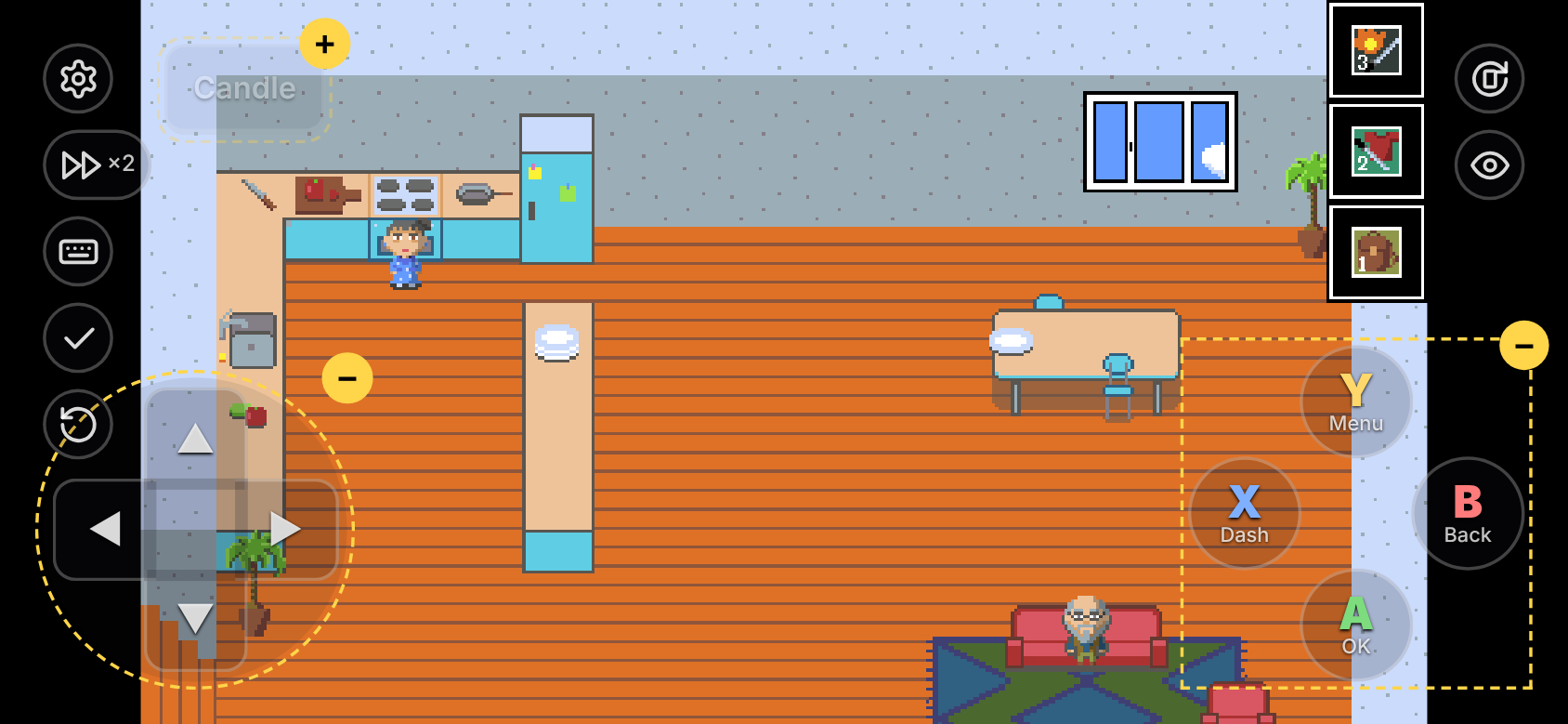
- ⚙ → Controls → Edit button layout.
- Drag a button to move it. − hides it, + brings it back.
- ✓ saves. ↺ resets the positions.
The layout is saved in this browser, separately for portrait and landscape.
A keyboard, or a USB / Bluetooth controller, works as in the desktop game.