
Save files: export, import, delete
In the menu: ⚙ → Saves → Saves opens this panel:
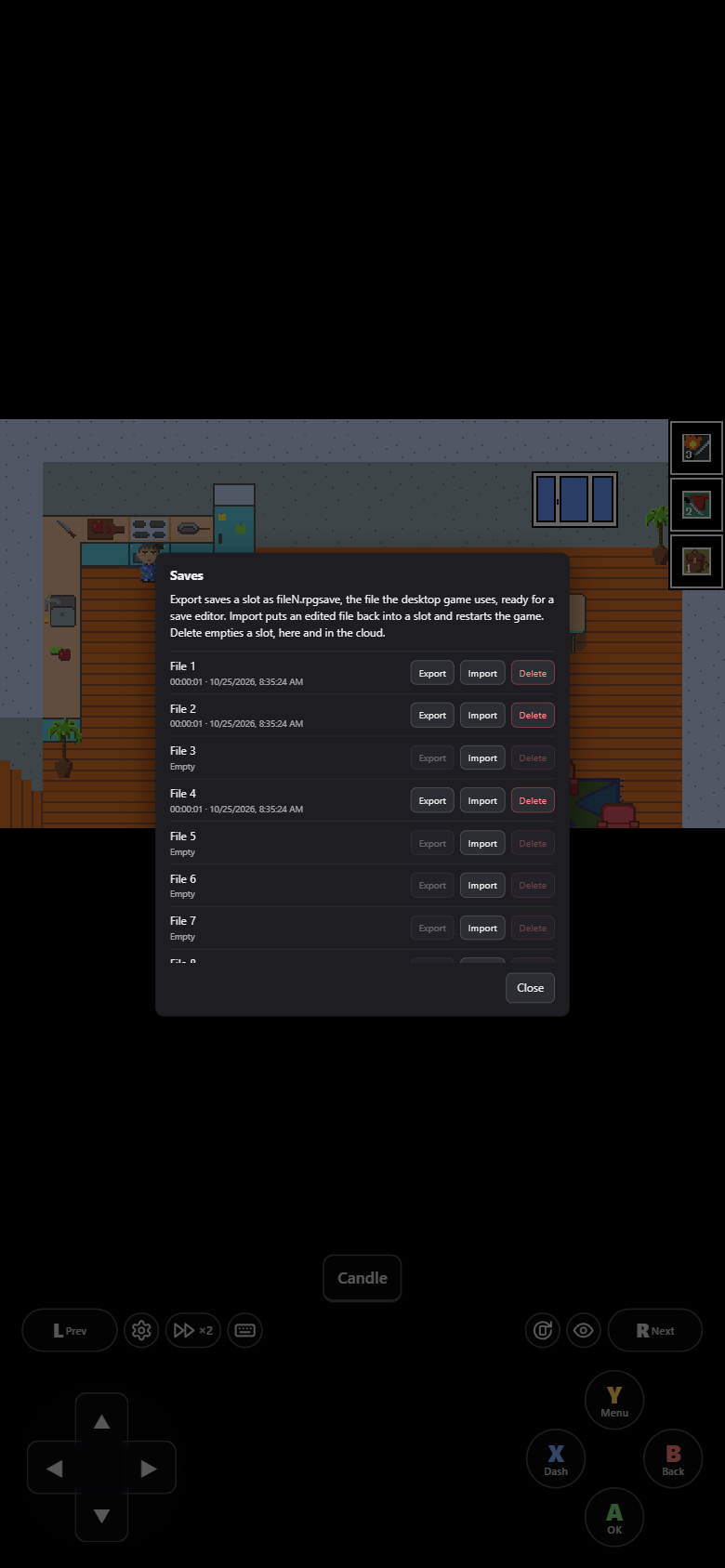
| Button | Does |
|---|---|
| Export | Downloads the slot as file3.rmmzsave (MV: file3.rpgsave), the same file the desktop game writes. Open it in a save editor, keep it as a backup, or drop it in the desktop game's save/ folder |
| Import | Puts a file into the slot: a desktop save, an editor's raw output, or plain JSON. The save uploads to the cloud and the game restarts so you can load it |
| Delete | Empties the slot, on every device when sync is on |
Import refuses files from the other engine, and the game's config and global files.
DANGER
With cloud saves on, a deleted save can come back from ⚙ → Saves → Older saves (for 30 days by default). Otherwise Delete cannot be undone: export first if you may want the save back.