
Open and play
Someone sent you a link like https://my-game.name.workers.dev.
- Open it in any browser, on a phone, tablet or PC.
- Type your email. It must be one the person who set up the game allowed.
- Type the one-time code from your inbox. The game loads.
No code? Your email is not on the list yet (or the code went to spam). Ask for it to be added.
Your email is your save
Sign in with the same email everywhere to keep playing the same game. See Cloud saves.
Play full screen on a phone
| Device | How |
|---|---|
| iPhone / iPad (Safari) | Share → Add to Home Screen |
| Android (Chrome) | ⋮ → Add to Home screen (or Install app) |
Or tap ⟳ in the game's toolbar (⚙ → Full screen on a PC). It also turns a landscape game sideways.
Controls and the menu
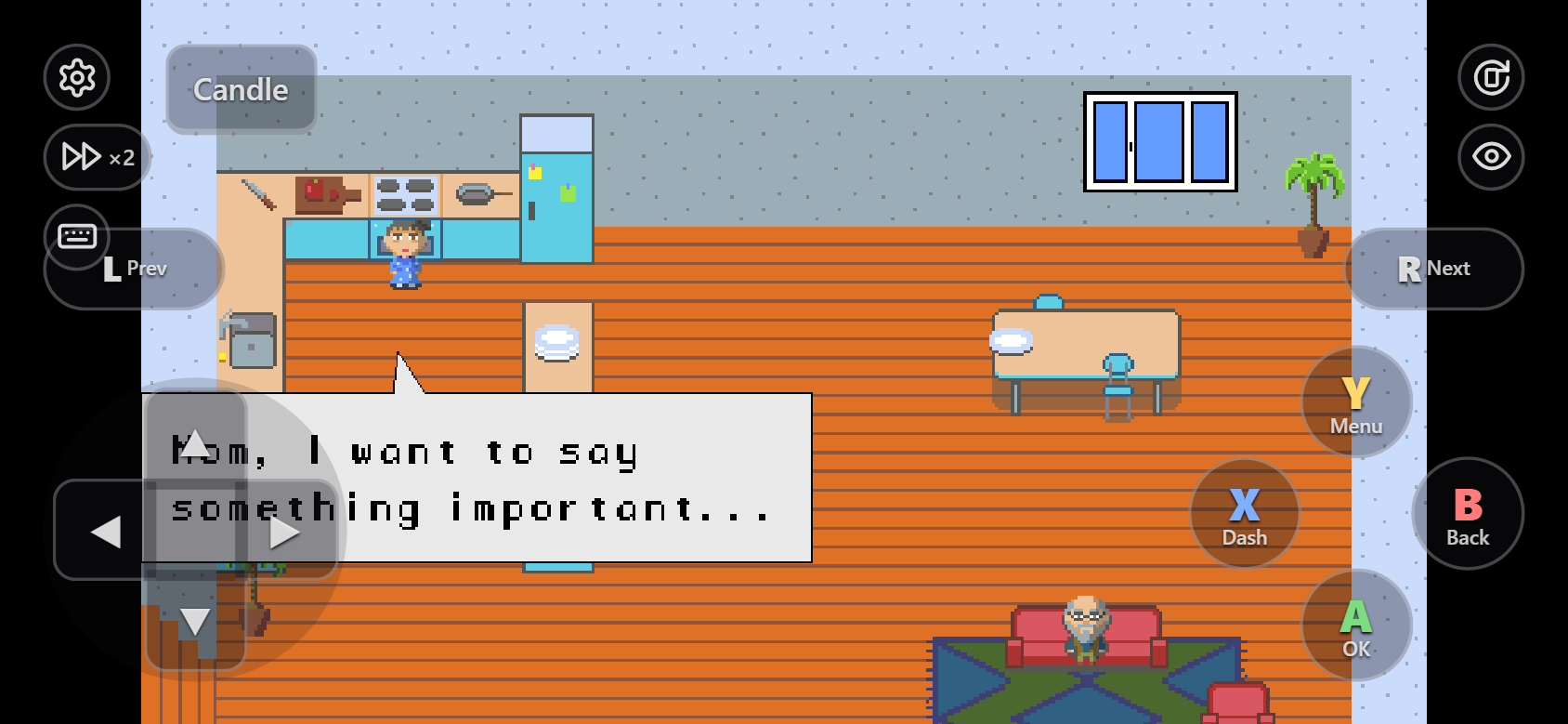
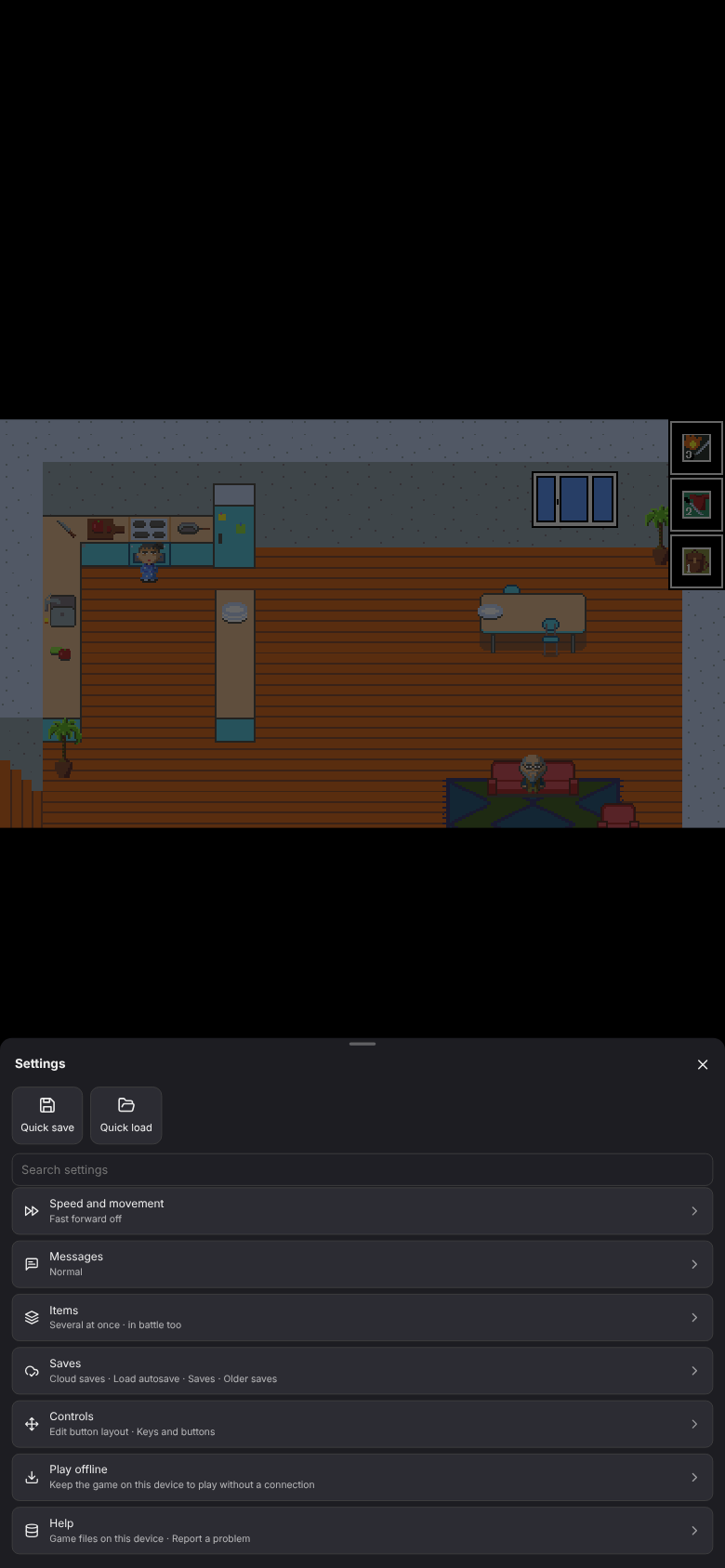
| On | Use |
|---|---|
| Phone or tablet | The on-screen gamepad (Touch controls) and the toolbar |
| PC | Keyboard or a controller, as in the desktop game |
| ⚙ Settings | Every option of the toolkit, in groups: speed, messages, items, saves, controls, language, offline, help. Where each one lives: Menu map |
The game pauses while the ⚙ menu is open, but the music keeps playing; ✕, Esc or a tap outside it resumes. On a PC, ⚙ is a faint button in the top-left corner, or press F1. Options the person who set up the game turned off are missing.
Game files on this device
Moved to Help.
Report a problem
Moved to Help.